The TACT™ Framework
A four-part anatomy for every agentic AI workflow. Define these four letters and your team has a practical way to redesign repeated work.
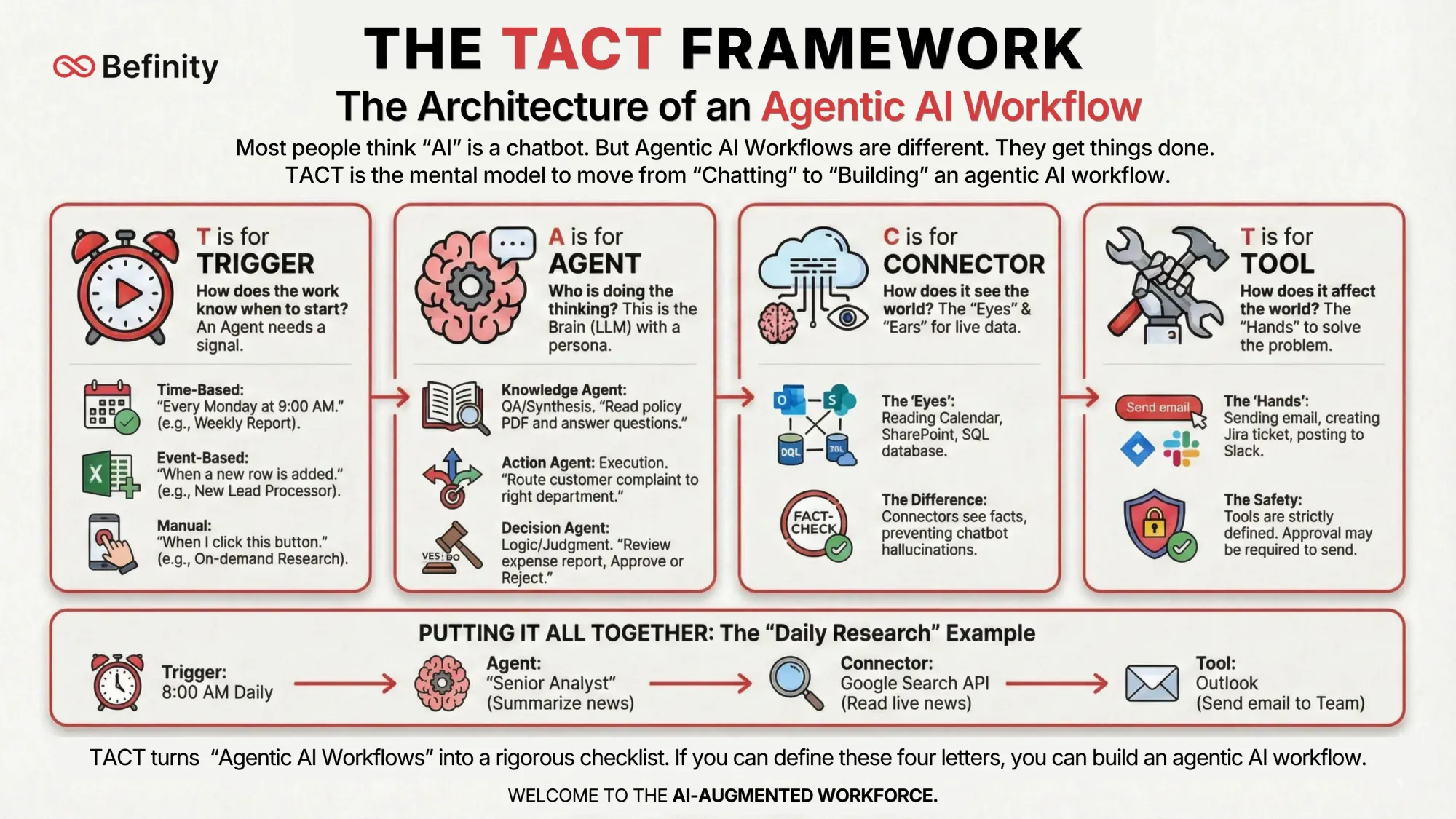
Most people experience AI as a chatbot: they type a question, receive an answer and move on. Agentic AI workflows are different. They are designed to carry work through a process.
To move from chatting to building, a team needs a shared mental model. At Befinity, we use the TACT™ Framework to turn a vague workflow into a design that can be reviewed, built and governed.
Trigger · Agent · Connector · Tool
T — Trigger
When does the workflow start?
Every agentic workflow needs a signal to begin. The Trigger defines when and how the workflow activates—without someone having to prompt it every time.
- Time-based: “Every Monday at 9:00 AM”
- Event-based: “When a new row is added to the spreadsheet”
- Manual: “When I request a briefing”
A — Agent
Who does the thinking and acting?
The Agent is the reasoning layer: an AI given a specific role, instructions and boundaries. It is not simply “chat with AI”; it has a specialist job within the workflow.
- Knowledge: read, summarise and answer from approved information
- Action: route, triage and prepare the next step
- Decision: evaluate evidence, flag uncertainty and escalate when needed
C — Connector
Where does it get the context it needs?
Connectors give the workflow access to the approved business systems, documents and data it needs. They replace manual copying and pasting with current operational context.
- Email inboxes and calendars
- SharePoint, Google Drive and knowledge bases
- CRMs, ERPs and databases
T — Tool
What actions is it allowed to take?
Once the Agent has reasoned about the problem, it needs defined ways to move work forward. Tools are the specific actions it is permitted to take—and where teams make control points explicit.
- Draft a response or generate a document
- Create a ticket or update a CRM record
- Save a draft and request human approval before it is sent
Putting TACT™ into practice
Here is how the four parts come together in a weekly reporting workflow.
TACT™ turns the phrase “agentic AI workflow” into a rigorous, practical checklist. It helps a team decide what should be automated, which business context is required and where people should retain ownership of a decision.
Ready to see your workflow deconstructed?
Choose an example below, or describe the repeated work your team wants to redesign.
Choose a workflow to deconstruct